Prerequisites
Node.js 18 or higher
An AI coding tool (Claude Code, Cursor, GitHub Copilot, or Google Antigravity)
Install specs.md Always use npx to get the latest version. Do not install globally with npm.
npx specsmd@latest install
Select Your Flow During installation, you’ll be prompted to select a development flow:
? Select a development flow:
  Simple - Spec generation only (requirements, design, tasks)
❯ FIRE - Adaptive execution, brownfield & monorepo ready
  AI-DLC - Full methodology with DDD (comprehensive checkpoints)
Flow Best For Agents Simple Quick specs, prototypes, handoff 1 FIRE Adaptive execution, brownfield, monorepos 3 AI-DLC Full traceability, comprehensive documentation 4
The installer automatically detects your AI coding tools and sets up:
Agent Definitions Specialized agents for your selected flow
Standards Project guidelines and conventions
Slash Commands Easy agent invocation commands
What Gets Installed After installation, you’ll see the following structure based on your selected flow:
Simple Flow
FIRE Flow
AI-DLC Flow
.specsmd/
├── manifest.yaml              # Installation manifest
└── simple/                    # Simple flow
    └── agents/                # Single agent

specs/                         # Your specs will go here
└── (feature folders)
.specsmd/
├── manifest.yaml              # Installation manifest
└── fire/                      # FIRE flow
    ├── agents/                # Orchestrator, Planner, Builder
    └── skills/                # Agent capabilities

.specs-fire/                   # Project artifacts
├── state.yaml                 # Central state tracking
├── standards/                 # Project standards
├── intents/                   # Intent documentation
├── runs/                      # Run logs
└── walkthroughs/              # Generated documentation
.specsmd/
├── manifest.yaml              # Installation manifest
└── aidlc/                     # AI-DLC flow
    ├── agents/                # Master, Inception, Construction, Operations
    ├── skills/                # Agent capabilities
    ├── templates/             # Artifact templates
    └── memory-bank.yaml       # Memory bank schema

memory-bank/                   # Project artifacts
├── standards/                 # Project standards
├── intents/                   # Intent documentation
└── bolts/                     # Bolt tracking
Claude Code
Cursor
GitHub Copilot
Google Antigravity
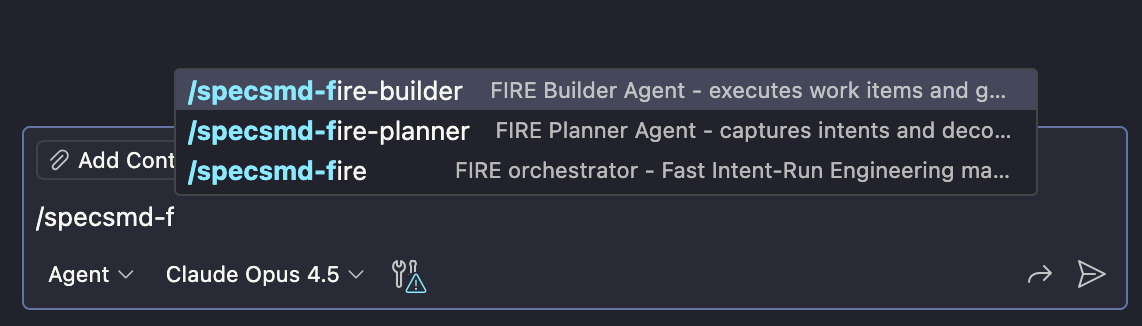
Slash commands are installed in .claude/commands/. Type / to see available commands: Simple Flow: FIRE Flow:
/specsmd-fire/specsmd-fire-planner/specsmd-fire-builder AI-DLC Flow:
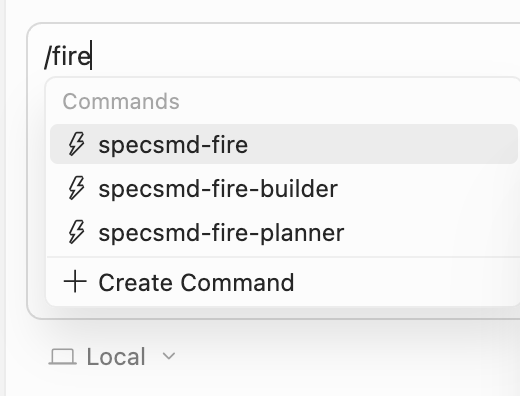
/specsmd-master-agent/specsmd-inception-agent/specsmd-construction-agent/specsmd-operations-agent Commands are installed in .cursor/commands/ as .md files. Invoke them by typing / followed by the command name: Simple Flow: FIRE Flow:
/specsmd-fire/specsmd-fire-planner/specsmd-fire-builder AI-DLC Flow:
/specsmd-master-agent/specsmd-inception-agent/specsmd-construction-agent/specsmd-operations-agent Agents are installed in .github/agents/ using .agent.md format. Type / to see available commands: Simple Flow: FIRE Flow:
/specsmd-fire/specsmd-fire-planner/specsmd-fire-builder AI-DLC Flow:
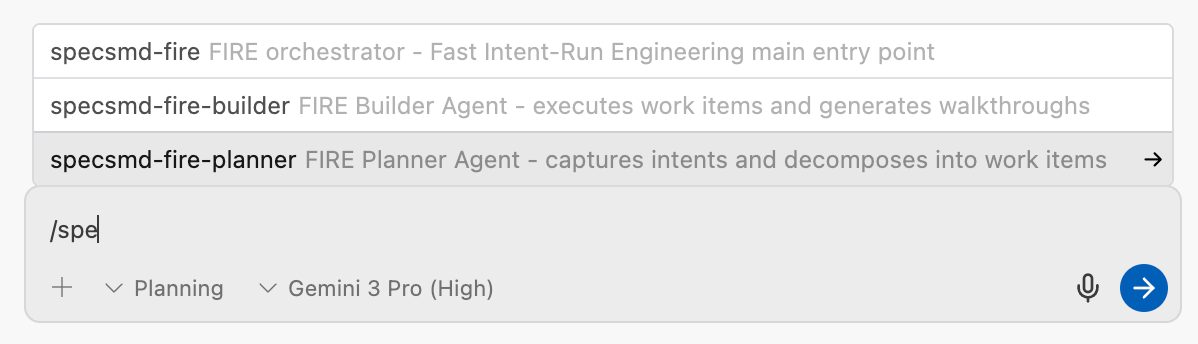
/specsmd-master-agent/specsmd-inception-agent/specsmd-construction-agent/specsmd-operations-agent Workflows are installed in .agent/workflows/ as .md files. Type / to see available commands: Simple Flow: FIRE Flow:
/specsmd-fire/specsmd-fire-planner/specsmd-fire-builder AI-DLC Flow:
/specsmd-master-agent/specsmd-inception-agent/specsmd-construction-agent/specsmd-operations-agent Next Steps
Simple Quick Start Generate specs in minutes
FIRE Quick Start Ship your first feature fast
AI-DLC Quick Start Full methodology walkthrough